
EDITABLE DESIGN TEMPLATES
Christmas party invitation templates
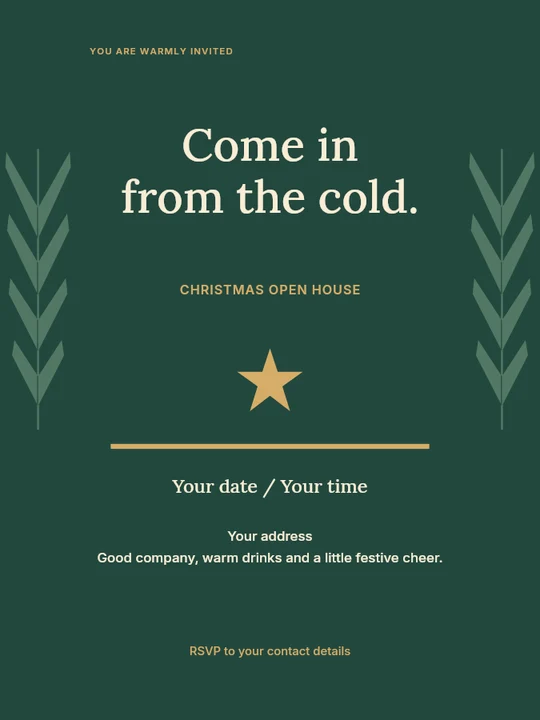
Make a Christmas party invitation that feels like your gathering. Start with an editable design for a family dinner, office celebration or festive get-together. Add the date, location and RSVP details, then download an invitation you can share.
Choose the gathering, then the invitation
Three different celebrations, with layouts you can personalise in the editor.
173 templates




No matching templates.
Try a shorter search, another style or a different format.
Browse all templatesMAKE IT YOURS
How to make a Christmas party invitation
- Choose a template that matches the gathering and open it in Pixplet.
- Replace the headline and event details. Add the date, start time, address or meeting link, host and RSVP contact.
- Review it at phone size, download PNG or JPG, and send a test copy to yourself. Keep the editable project for any last-minute change.
What to include on your invitation
Make the occasion, date, time and location easy to find. Add an RSVP deadline and contact, plus useful details such as a dress code, gift exchange or what to bring. For an online office celebration, include the time zone and joining instructions. Spell out the month to avoid confusion between day/month and month/day dates.
Christmas dinner invitation wording
Join us for Christmas dinner and a little time together. [Day, date] at [time], [address]. Please RSVP to [name/contact] by [date], and let us know about any dietary needs. We would love to celebrate with you.
Office Christmas party invitation wording
Let's celebrate the year together. You're invited to the [company/team] Christmas party on [day, date] at [time], [venue/address]. [Dress code or activity, if needed]. Please confirm with [contact] by [date]. For a remote party, replace the venue with the meeting link and time zone.
A short invitation for friends
A little sparkle, good food and favourite people. Come to our Christmas get-together on [date] at [time], [place]. Bring [optional item] and let [host] know by [RSVP date] if you can make it. Replace the brackets before sending.
When should I send Christmas invitations?
Give guests enough time to compare their December plans. A few weeks ahead is a useful starting point for a small gathering; larger work events or travel plans often need more notice. Set a reply date that leaves you time to confirm numbers, food and seating. Send a brief reminder when the details are final.
Questions, answered
How do I make a Christmas invitation online?
Choose a template, open it in Pixplet and replace the sample text. Adjust colours and artwork, check the details, then export PNG, JPG or WebP. Save an editable project to continue later.
What should I write on a Christmas party invitation?
Include the occasion, host, day and date, start time, venue or meeting link, RSVP contact and reply deadline. Add only the practical extras guests need. The wording examples above can be adapted for dinner, work or friends.
Can I send the invitation by email or message?
Yes. Download an image and attach it to your email or message. Put essential details in the message text too, so guests can copy the address or RSVP contact. Links drawn into an exported image are not clickable.
Can I print a Christmas invitation?
You can print the exported image. Check its pixel dimensions against the print size and follow your printer's requirements. Pixplet's image exports do not automatically add print bleed or create a press-ready PDF.
Can I use these for a holiday party?
Yes. Change the headline and message for the celebration you are hosting. Check the artwork and wording together so the invitation suits your guests.