
EDITABLE DESIGN TEMPLATES
New Year's Eve party invitation templates
Invite your favourite people to the countdown. Choose a New Year's Eve party invitation for a house party, black tie celebration or midnight gathering. Edit the words, year and colours in Pixplet, then download your invitation.
Find the right invitation for your New Year's Eve
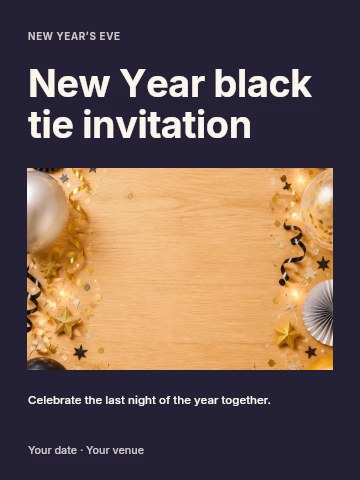
A casual house party, a formal gala or a riverside celebration — each design has editable event details.
118 templates






No matching templates.
Try a shorter search, another style or a different format.
Browse all templatesMAKE IT YOURS
How to make a New Year's Eve party invitation
- Choose a design and open it in the Pixplet editor. Pick the layout for your event before changing its colours.
- Add the host, 31 December date, arrival time, venue and RSVP contact. Include a dress code or what to bring when needed.
- Check the year on every line, export PNG or JPG and send a test copy. Save an editable project for changes before the party.
What should a New Year's Eve invitation say?
State the occasion, exact date, start time, address and how to reply. If food or a countdown activity starts at a particular time, add that detail. Include the RSVP deadline, dress code and any bring-your-own instructions. Avoid squeezing a full event schedule into the main headline.
New Year's Eve house party wording
A new year. Our favourite people. Join us on 31 December [year] from [time] at [address] for a New Year's Eve house party. We'll count down to [next year] together. Please RSVP to [contact] by [date]. [What to bring, if needed]. Replace every bracket before sending.
Formal dinner or gala invitation wording
You're invited to an evening of [dinner/music/celebration] as we welcome [next year]. 31 December [year], [arrival time], [venue and address]. Dress code: [details]. Please confirm your attendance with [contact] by [date]. Add a separate dinner or seating time if guests need to arrive before it.
How to show the year correctly
For a party welcoming 2027, the evening date is normally 31 December 2026. An event on 1 January 2027 needs that date instead. Write the month in words and include a time zone for an online celebration. Check the weekday, year and any countdown text together.
Sharing and printing your invitation
Download an image for email or messaging and repeat the address and reply contact in the message text. A downloaded image has no working RSVP form. To print, check its pixel dimensions and your printer's trim and bleed requirements. Keep your editable project so a changed venue does not mean starting again.
Questions, answered
How do I create a New Year's Eve invitation online?
Open a template, replace the sample event details and adjust the design in Pixplet. Check the year and date, then export PNG, JPG or WebP. Save the editable project separately.
What date goes on a party welcoming 2027?
If it begins on New Year's Eve, write 31 December 2026 and make clear that you are welcoming 2027. If it takes place on New Year's Day, use 1 January 2027. Use your actual local event date and time.
Can I edit the dress code and RSVP details?
Yes. Replace the sample text with the instructions for your event. Keep the RSVP contact and deadline readable, and remove any detail that does not apply.
Can I send a short invitation in a message?
Yes. Attach the exported image and add a short plain-text note with the date, address and RSVP contact. Guests can then copy those details without reading them from the image.
Is this also suitable for a New Year's Day brunch?
You can edit the wording and date, but the New Year invitation collection has a dedicated brunch starting point and wording for 1 January.