
EDITABLE DESIGN TEMPLATES
Invitation templates
Give your guests a welcome and the details they need. Browse editable invitation templates for parties, weddings, family gatherings and seasonal celebrations. Choose a layout, add your own wording and download an invitation that feels like your occasion.
3,462 templates




No matching templates.
Try a shorter search, another style or a different format.
Browse all templatesMAKE IT YOURS
Create an invitation your guests can act on
- Choose a template for the occasion and open it in Pixplet.
- Add the names, event, date, start time, venue and RSVP contact. Personalise the artwork and colours around those details.
- Read the invitation aloud, check it on a phone and download an image. Save an editable project for later changes.
What to include on an invitation
Give guests the occasion, host, exact date, start time and location. Keep the RSVP contact and reply deadline together. Add a dress code, arrival information or what to bring only when needed. For an online gathering, include the time zone and joining instructions. Spell out the month to avoid date-format confusion.
A simple invitation wording template
You're invited to [occasion] with [host or names]. Join us on [day, date] at [time], [venue and address]. Please RSVP to [contact] by [date]. [Dress code or useful extra detail]. Replace every bracket and remove any instruction that does not apply.
Match the tone to the gathering
A wedding invitation may use a formal opening and the couple's names. A birthday invitation can be shorter and more playful. A work gathering should make the audience and practical arrangements clear. The best wording sounds like the host while answering the guest's basic questions.
Share an image and usable details
Download PNG or JPG for email and messaging. Repeat the address, date and RSVP contact in the message text so people can copy them. Text drawn into an exported image is not a clickable link or an RSVP form. Check the design on a phone without zooming before sending it to the guest list.
Choose dimensions before printing
Check the template's pixel dimensions against your intended print size. A 5 × 7 inch image area at 300 pixels per inch needs 1500 × 2100 pixels, excluding bleed. Confirm your printer's actual trim, bleed and format requirements. The editor's image export does not add bleed automatically.
Questions, answered
How do I make an invitation online?
Choose a template, edit its wording and appearance in Pixplet, check the practical details and export PNG, JPG or WebP. Save an editable project separately if plans may change.
What should I write on an invitation card?
Include the occasion, names or host, date, start time, venue and RSVP contact with a deadline. Add only the extra instructions guests need. You can adapt the wording example above.
Can I make birthday, wedding and Christmas invitations?
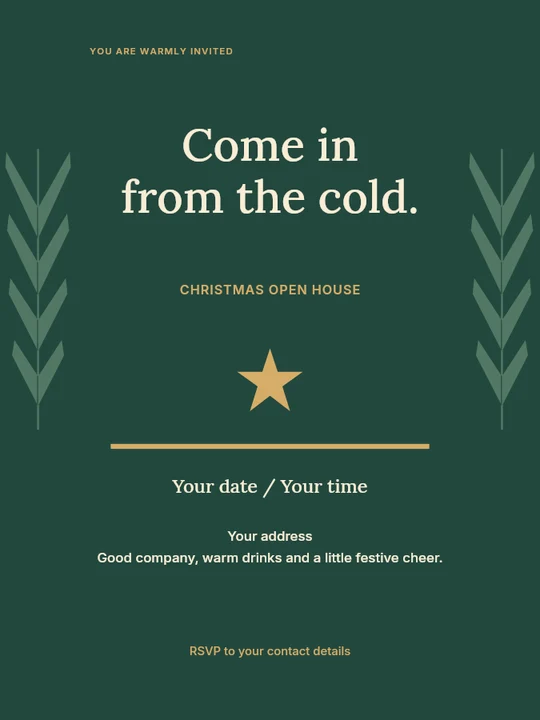
Yes. Use the relevant topic collection to find a starting point, then change the text and design for your own event.
Can guests RSVP through the downloaded invitation?
The downloaded file is an image and does not collect replies. Provide a working contact or an RSVP link in the message where you send it, or use your chosen booking service.
Can I print the invitation?
You can print the exported image after checking its dimensions, resolution and your printer's requirements. Keep important text clear of the trim edge.